Santa Cam is a short night-camera clip of Santa leaving presents in an empty room you photograph.
Santa Cam makes a short night-camera clip of Santa in your empty room; you can also watch the three example clips.
A Santa Cam here is not a box you screw above the garage. It is a clip that borrows the look of a fixed night camera: a still room, a figure who should not be there, presents left behind. You supply one photo of that room with nobody in it. You can take that photo today and keep it. The paid clip runs up to ten seconds at 720p, with sound. Try an optional free watermarked preview, or buy directly and upload your room photo after payment. This hub explains the three views, the steps, and the price. The examples on the home page are what you can watch right now.
Get a free short watermarked preview. Buy one clip for $5.99 or three versions for $12.99.
AI example made from “Christmas room in Sweden” by Rose Abrams, CC BY 4.0. Santa added by AI.
Three camera views
AI-generated · not a real camera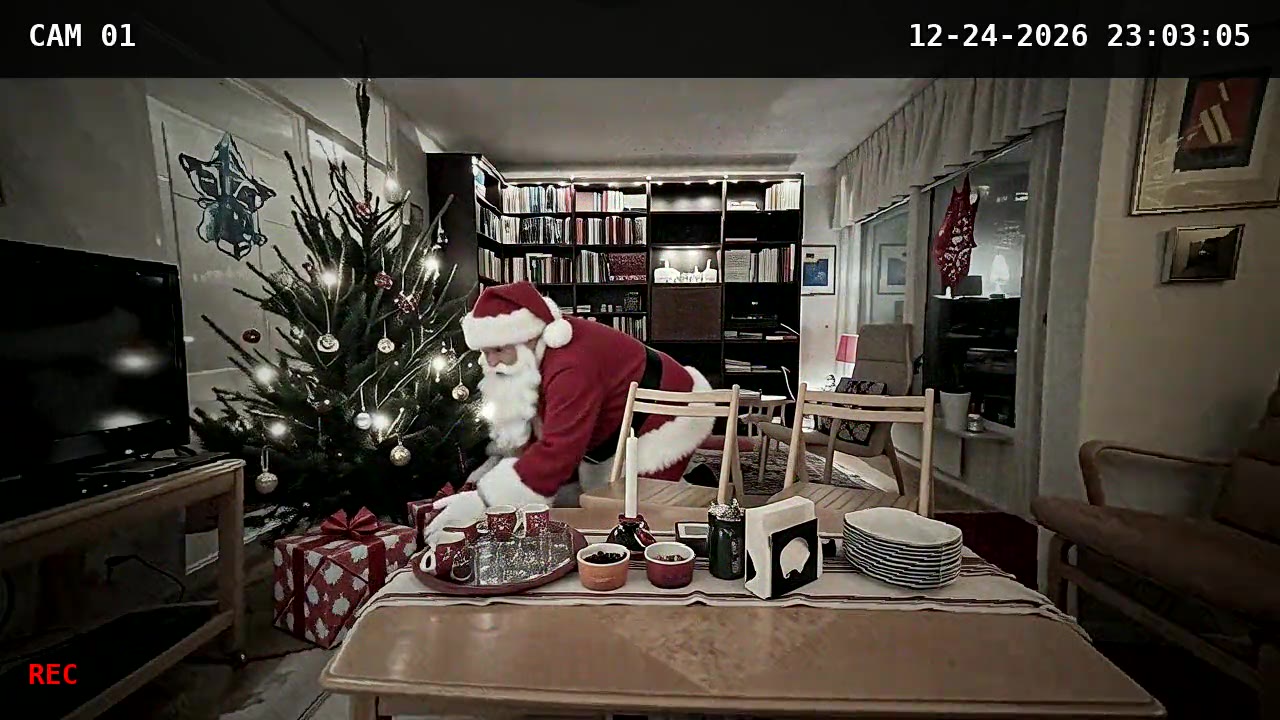
Living room
Tree, floor, and sofa. The usual indoor view, up to ten seconds.
AI example made from “Christmas room in Sweden” by Rose Abrams, CC BY 4.0. Santa added by AI.
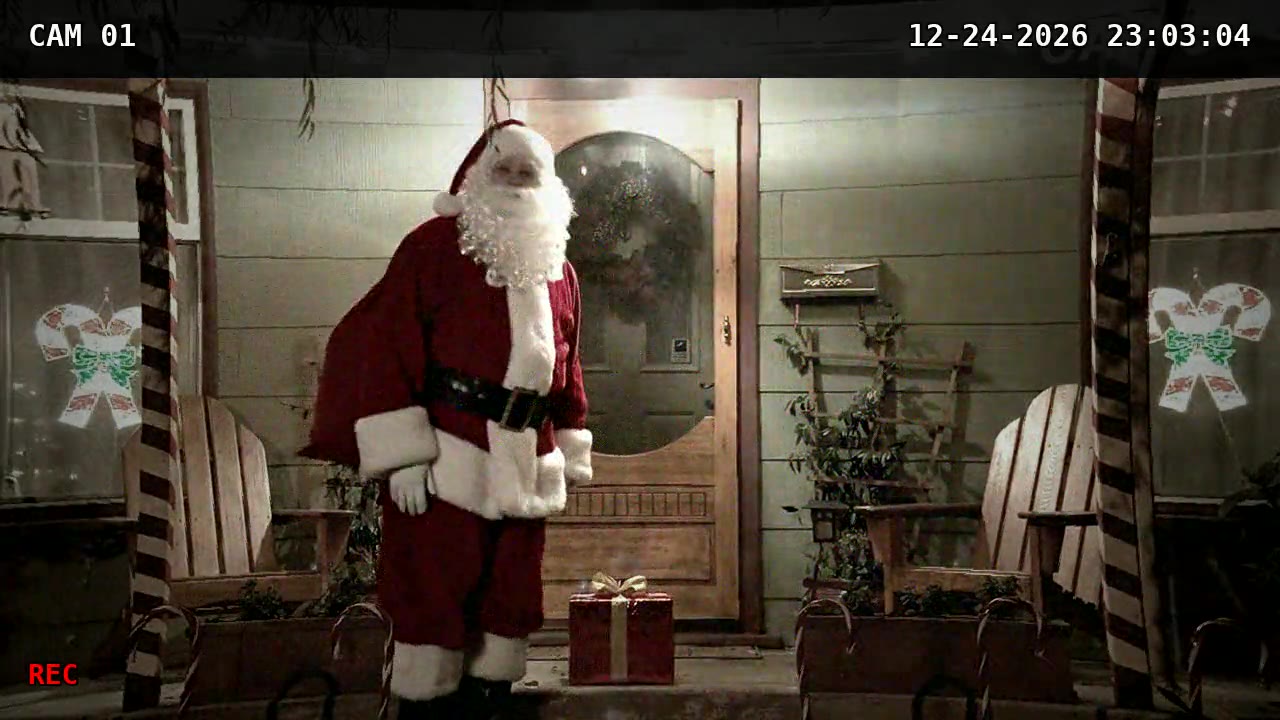
Front door
Door, step, and wall. The example you can watch today runs about eight seconds.
AI example made from “front porch 3 christmas” by ShebleyCL, CC BY 2.0. Santa added by AI.
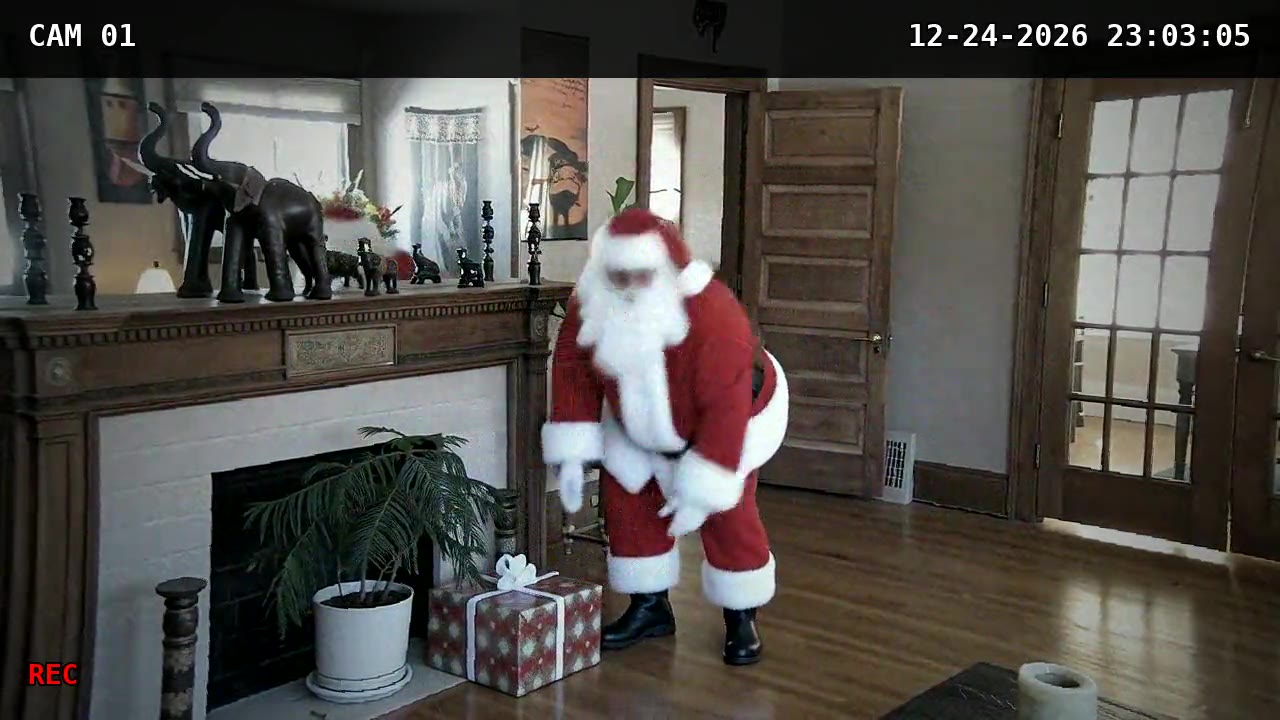
Fireplace
Cold hearth and stockings. The fireplace example is on the home page. Shoot only with the fire out.
AI example made from “Living Room (Angle 2)” by smoMashup1, CC BY 2.0. Santa added by AI.
What Santa Cam is
In family talk, Santa Cam can mean a toy camera, a doorbell left running, or a clip someone made on a computer. On this site it means the third: a computer-drawn clip that looks like a night camera caught Santa leaving presents. The input is one still of an empty room. The result is a short video with sound. Santa can say one first name if you type it. He does not read a letter aloud, quote a relative, or stand next to anyone in your photo.
The look is simple on purpose. A fixed, slightly high angle. Room lights that already exist. No interviewer, no workshop set, no speech to the lens. If you want Santa to look at the camera and deliver a monologue, this is the wrong tool. If you want the feeling that the house was watched for ten seconds while everyone slept, this is the style of the clip.
The three published examples — living room, door, fireplace — can be watched today. A computer drew them. They are not footage from your house. Every player on this site says so. Keep that honesty when you share a clip of your own. Free letters and Nice List certificates are extras you can print tonight.
The three camera views
Living room is the default Santa Cam. You want the tree large in the frame, a path of floor, and some furniture so the room stays yours. That page is Santa caught on camera. Play that example first if you only have time for one. You can shoot a test still of your own tree tonight and compare it with what you see.
Front door is the outdoor Santa Cam view. You photograph the empty entrance. In the clip, Santa sets a parcel on the step and leaves. The example is shorter, about eight seconds, and you can watch it today. We do not connect to a doorbell account, and we do not name any camera brand. A still from whatever already sits by your door is fine when the entrance is empty.
Fireplace is the third view. Stockings and a cold hearth. The fireplace example is on the home page. Do not light a fire to help the mood. Santa Cam does not need a live flame, and you do not need a midnight accident. If the hearth is warm, wait until it is cold before you take the still.
How it works
Photograph the empty room and upload the still on the pricing page. Optionally type one first name. Make a free short watermarked preview, then choose one paid clip or three versions after the preview is ready. The paid file is generated separately and may differ from the sample.
The still must be empty. No people, no faces, no reflections. One photo, not a burst, not a child catching Santa. The child is the audience on Christmas morning, not the subject of the photo. If you want a name spoken, it is a first name only — letters, spaces, apostrophes, hyphens — not a surname and not a speech. You can write that name on paper now so nobody debates spelling on the 24th.
The paid clip is up to ten seconds, 720p, with sound. The door example is the eight-second one among the clips you can already watch. Treat the length as a short glance, not a mini-movie. If you need a longer story, write it in the free letter. The clip does not carry a paragraph.
Pack prices and what your purchase includes
One clip costs $5.99 and three cost $12.99. No subscription. The name, if you use it, sits inside that price. Try an optional free watermarked preview, or buy directly and upload your room photo after payment. Make a free letter from Santa if you want a finished object tonight.
Santa Cam is a story clip for one household. It is not a device, an alarm, or a school project about surveillance. It does not put a child in frame with Santa or draw an elf, and it does not make reindeer clips. It is not evidence. If it leaves the house, say a computer made it.
Watch all three examples on the home page, including the fireplace, or head to pricing to try an optional free watermarked preview.
Make a Santa Cam clip from an empty-room photo
Pick a view, upload an empty-room still, make a free watermarked preview, and choose a paid pack.
- 1
Pick a view
Living room for the tree, front door for the step, or a cold fireplace. Open the matching page and play the example. The fireplace example is on the home page.
- 2
Shoot the empty still today
Shelf height, floor or step in frame, one light, nobody in the picture including reflections. Upload it to make a free watermarked preview.
- 3
Write a first name only if you want one
One given name, optional. Check the spelling before entering it. Skip it if you want the visit to stay quiet apart from room sound.
- 4
Upload the still
Available now: one clip costs $5.99 and three cost $12.99. There is no monthly plan.
- 5
Play it as a story
On Christmas morning, show it once if you have it. Say a computer made it if you post it. Do not offer it as a recorder export.
FAQ
What is Santa Cam on this site?
A computer-drawn night-camera clip of Santa leaving presents in an empty room you photographed. It is not a physical camera, and you can try an optional free watermarked preview, or buy directly and upload your room photo after payment.
Which of the three views should I plan for?
Living room if you have a tree indoors. Front door if the step is the story. Fireplace only with the fire out. Start with the living-room example if you are unsure.
Do I need to buy a camera?
No. A phone can take the still today, and a phone can play the clip later. The camera look is inside the clip, not a box you install.
What does a clip cost?
$5.99 for one, $12.99 for three. No monthly plan. Checkout is available with or without a preview.
Can I shoot the still and later play the clip on a phone?
Yes. Take the photo with a phone and play the finished clip on that same phone. You do not need a separate recorder.
What photo should I use for Santa Cam?
Use an empty room or front door photo with no people or child in the frame. Keep the floor visible and avoid reflections of people.
Can I preview Santa Cam before paying?
You can preview what your clip could look like before you decide to pay: a short watermarked 4 to 5 second sample. The paid video will be made separately and may differ. You can also buy directly and upload your empty-room or front-door photo after payment. The sample is scaled to 480p and stamped PREVIEW.
What does the finished Santa Cam file include?
The paid file is 720p with sound, up to 10 seconds. It is made separately from the preview and may differ.
How are Santa Cam packs priced?
One clip costs $5.99; three versions cost $12.99. Three separately generated versions from the same photo, scene, and first name. This is a one-time payment with no subscription.
Should my child appear in the uploaded photo?
No. Upload only an empty room or front door with no people, including reflections and portraits.
Related pages
- Home
Example clips today. Santa Cam is open now.
- Living room
Indoor tree example, the view most houses will use.
- Front door
The outdoor example this site actually publishes.
- Santa in my house
Room choice and morning playback, in plain language.
- What is free today
Free letters, certificates, examples, and a short watermarked preview. Optional preview or direct checkout for paid clips.
- Add Santa to a photo
How an empty-room still becomes a video.
- Free letter from Santa
Free, printable, ready tonight.
- Nice List certificate
A printable certificate with your child's name.
- Santa in my living room
Photograph your empty living room, upload it here, get a free watermarked preview, then buy the finished clip if you want it.
- Santa cam apps compared
There are several ways to make a Santa camera story, and you do not have to download an app: Santa Cam works in the browser from one empty-room photo.
- Are these videos real?
A short guide: they are AI-generated, not real camera recordings.
- Santa Nice List video
Santa can say a first name in an empty-room clip. You do not upload a child's photo.